DDR@CMU
2024
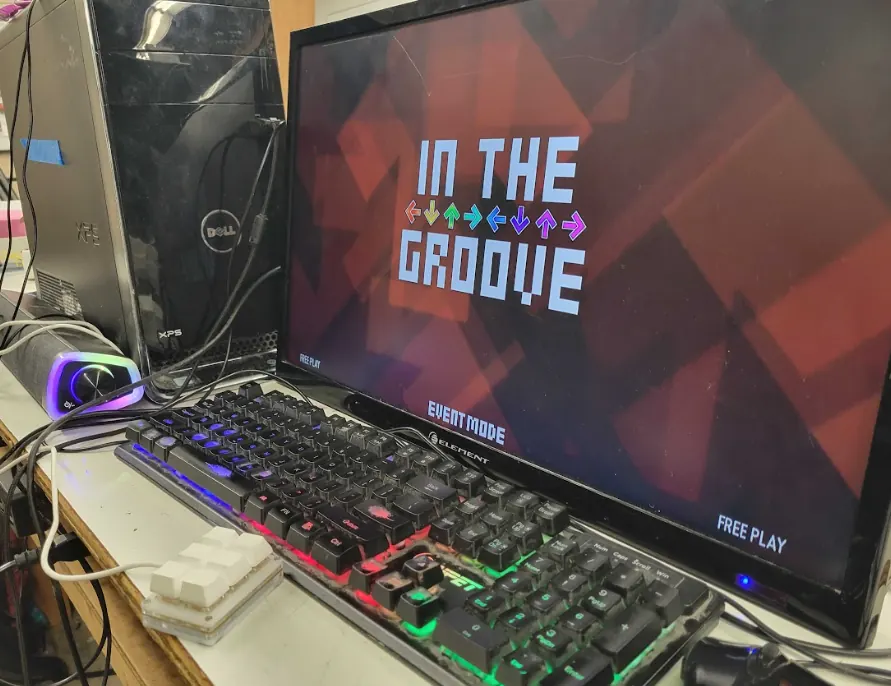
A DDR cabinet for our campus!
It’d be really cool to have a DDR machine here on-campus, and we already had a dancepad.
With this, the cost to build a cabinet would be less than $300. To be clear, we are not
making our own DDR pad, as it is very difficult to make a high-quality pad from scratch.
We used a spare desktop and monitor; we flashed an empty SSD with an Arch Linux image
that had the ITG software already installed. The computer autoboots into the software,
which allows users to immediately begin playing DDR. We registered the DDR dancepad
and a keypad for navigation for users to easily select a song and begin playing.
We also built a base for the pad so that it wouldn’t slide around while playing. We wanted
to add a support bar to the pad for players to keep their balance, but unfortunately we
did not have the welding tools to make the bar to our standards. We plan to add that
to our project in the future. We also built a cabinet that could hold both the computer
and the monitor; it’s connected to the pad via a long USB cable. Lastly, we decorated the
cabinet with BlinkStick LEDs, which are programmable over USB using Python. We set
the LEDs to strobe once the game begins.
We achieved a minimally-viable product showing how you could make a simple, cheap
DDR cabinet. In the future, we’d like to extend this cabinet by adding a second DDR pad
for two-player. Furthermore, we’d like to get a larger monitor for the cabinet. Lastly, we’re
still looking for a home on-campus for the cab - stay tuned!
Team
- Joel Gonzalez
- Chi Gao
- Jessica Wu
- Icey Chen
- Anya Jasthi